Smartphones have become powerful enough to run high-quality games with impressive graphics, realistic animations, and smooth gameplay. However, many users notice that their devices become unusually warm after playing games for an extended period. Sometimes, the phone gets so hot that holding it becomes uncomfortable. This raises an important question: 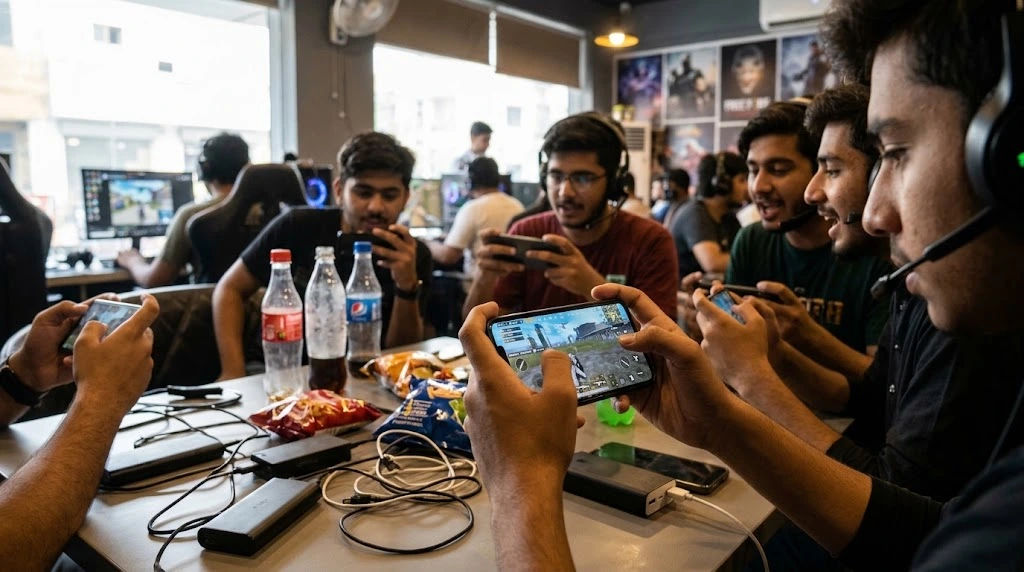 why does mobile gaming make phones overheat, and what causes the temperature to increase?
The main reason is that gaming requires a smartphone to perform several demanding tasks simultaneously. The processor, graphics unit, display, battery, and other internal components work continuously to deliver a smooth gaming experience. These activities consume energy and produce heat. When the heat builds up faster than the phone can release it, the device becomes noticeably warmer.
Understanding the reasons behind overheating can help users protect their smartphones, improve gaming performance, and avoid unnecessary battery damage. This comprehensive guide explains the major causes of overheating, the effects on smartphone components, and practical ways to keep a device cool during long gaming sessions.
Why Smartphones Become Hot During Gaming
Smartphones are designed to operate within a specific temperature range. Their internal components generate heat whenever they process information, display images, or use electrical power.
During ordinary activities, such as sending messages or browsing websites, the processor usually handles relatively light workloads. Gaming is different because it places continuous demands on several hardware components.
A modern game may require detailed graphics, realistic lighting, complex environments, online communication, sound effects, and frequent calculations. All these activities increase the workload inside the device.
Heat is a natural result of this activity. A small amount of warmth is generally normal, but excessive heat indicates that the device is struggling to manage the energy it consumes.
The Role of the Processor in Phone Overheating
Heavy CPU Usage
The central processing unit, commonly known as the CPU, is responsible for handling instructions and calculations. It manages game logic, character movements, background activities, and interactions between different elements.
During demanding games, the CPU must process large amounts of information continuously. This requires more electrical power than simple smartphone activities.
As the workload increases, the processor generates additional heat. If someone plays a demanding game for an hour or longer, the temperature may gradually rise.
Continuous Processing Demands
Some games contain complicated environments, multiple characters, realistic physics, and detailed interactions. These features require the processor to perform repeated calculations.
For example, an online multiplayer game may continuously process player movements, match information, environmental changes, and communication with remote servers.
The processor rarely gets an opportunity to rest during an intense gaming session. This continuous workload contributes significantly to overheating.
High Graphics Settings Increase Heat Production
Demanding Graphics Processing
The graphics processing unit, or GPU, creates the images and animations displayed on the screen. It handles textures, shadows, lighting effects, reflections, and other visual details.
Games with advanced graphics require the GPU to perform many calculations every second.
When users select ultra or maximum graphics settings, the GPU has to work harder. This increases electricity consumption and produces additional heat.
Higher Frame Rates
Frame rate describes how many images a game displays each second. Common options include 30, 60, 90, and 120 frames per second.
Higher frame rates can make gameplay appear smoother, especially in competitive games. However, generating more frames requires additional processing power.
For example, running a game at 120 frames per second can place greater demands on the GPU than running the same game at 60 frames per second.
This additional workload can increase the phone's temperature, particularly when combined with high-resolution graphics.
Advanced Visual Effects
Modern games frequently include realistic shadows, reflections, particle effects, and detailed environments.
Although these features improve the gaming experience, they require more processing resources.
When several visual effects operate simultaneously, the GPU generates more heat. Reducing unnecessary graphical settings can help lower the workload.
Battery Consumption and Heat Generation
Why the Battery Becomes Warm
The smartphone battery supplies electricity to the processor, display, speakers, and other components.
During intensive gaming, the device consumes more power because its hardware operates at higher performance levels.
The battery must continuously deliver energy to support these activities. Electrical resistance inside the battery and its connections also produces some heat.
As a result, the battery area may become warm during demanding gaming sessions.
Long Gaming Sessions Increase Temperature
Playing for ten minutes is different from playing continuously for several hours.
During a long session, the smartphone produces heat repeatedly. If the cooling system cannot release that heat quickly enough, internal temperatures gradually increase.
Even when individual components operate within their normal limits, their combined heat can make the entire device uncomfortable to hold.
Taking short breaks gives the smartphone an opportunity to release accumulated heat.
Playing Games While Charging
Charging Adds Another Source of Heat
One of the most common reasons smartphones become excessively warm is playing games while charging.
Charging itself produces some heat because electrical energy is transferred into the battery. At the same time, gaming increases power consumption through the processor, GPU, and display.
When both activities happen together, the device has to manage heat from multiple sources.
This can make the phone significantly warmer than playing a game without connecting the charger.
Fast Charging Can Increase Temperature
Fast-charging technology delivers higher electrical power to recharge compatible batteries quickly.
Although modern smartphones include charging management systems, fast charging can still produce additional warmth.
Combining fast charging with demanding games may increase the overall thermal load.
For better temperature management, avoid intensive gaming while charging, particularly if the device already feels unusually hot.
Background Applications Contribute to Overheating
Multiple Apps Running Simultaneously
Many smartphone users keep several applications running in the background.
Social media applications, messaging services, downloads, automatic updates, and cloud synchronization may continue using system resources even when they are not visible.
When a demanding game runs alongside these activities, the processor has additional work to perform.
This increases overall power consumption and can contribute to higher temperatures.
Unnecessary Background Processes
Some applications regularly check for notifications, update information, or access network connections.
Although individual background tasks usually consume limited resources, several active processes can create additional workload.
Closing unnecessary applications before starting a demanding game may help improve performance and reduce unnecessary energy consumption.
Internet Connectivity and Network Activity
Online Games Require Constant Communication
Many popular smartphone games depend on an internet connection. Multiplayer games, battle games, racing competitions, and online strategy games continuously exchange information with remote servers.
The phone must send and receive data to keep gameplay synchronized. Its wireless communication components remain active throughout the session.
This additional activity consumes power and contributes to heat production. When mobile gaming involves continuous online communication, the device may become warmer than it does when running an offline game.
Weak Network Signals Increase Power Consumption
A weak Wi-Fi or mobile network signal can make the smartphone work harder to maintain a reliable connection.
For example, playing an online game in an area with poor network coverage may increase communication activity. The device may repeatedly search for a stronger signal or adjust its transmission power.
This can increase battery consumption and temperature.
Using a stable Wi-Fi connection where available may help reduce unnecessary network activity, although the actual results depend on the device and network conditions.
Screen Brightness and Display Refresh Rate
High Brightness Uses More Energy
The smartphone display is another important source of heat.
During gaming, the screen remains active for extended periods. If brightness is set to maximum, the display consumes more energy.
This becomes particularly noticeable when users play outdoors or in brightly lit environments.
Reducing brightness to a comfortable level can lower power consumption and help control temperature.
High Refresh Rates Increase Power Usage
Modern smartphones often support refresh rates of 90Hz, 120Hz, or higher.
A higher refresh rate allows the display to update more frequently, creating smoother animations and movements.
However, maintaining a high refresh rate requires additional power from the display system and may increase the overall workload.
When playing games that do not require extremely high refresh rates, selecting a lower setting can help reduce heat production.
Environmental Temperature Affects Gaming Performance
Playing in Hot Weather
The surrounding environment has a major influence on smartphone temperature.
When someone plays games in a hot room, outdoors during summer, or inside a parked vehicle, the phone has fewer opportunities to release heat effectively.
Smartphones generally depend on their external surfaces and internal thermal structures to transfer heat into the surrounding air.
If the surrounding temperature is already high, this process becomes less effective.
As a result, the device may become hotter even when running the same game at the same settings.
Direct Sunlight Increases Heat
Using a smartphone under direct sunlight can create additional temperature problems.
Sunlight warms the phone's outer surface, while the processor and display continue generating heat through normal operation.
These combined sources can cause the temperature to rise quickly.
It is better to play indoors, in a shaded location, or in a room with comfortable ventilation.
Phone Cases Can Trap Heat
Thick Protective Cases
Phone cases protect smartphones against scratches, drops, and everyday damage. However, certain cases can make heat dissipation less effective.
Thick rubber, leather, or multilayer protective cases may reduce the amount of heat that escapes from the phone's surface.
This does not mean every protective case causes overheating. The effect depends on the material, construction, and thermal design of the device.
Removing the Case During Heavy Gaming
If a smartphone becomes unusually warm during demanding games, removing its case may improve heat transfer to the surrounding air.
However, users should place the phone on a clean, dry, and stable surface.
Avoid placing it on soft materials such as blankets, pillows, or cushions because these can restrict airflow around the device.
How Poor Cooling Systems Contribute to Overheating
Limited Space Inside Smartphones
Unlike desktop computers and many gaming laptops, smartphones have very limited internal space.
They cannot usually accommodate large cooling fans or traditional heatsinks.
Manufacturers use different cooling technologies, including graphite sheets, thermal materials, heat spreaders, and vapor chambers.
These systems transfer heat away from important components and distribute it across a larger area.
However, even advanced cooling systems have limitations.
Budget Smartphones May Have Different Cooling Capabilities
Not every smartphone has the same cooling design.
Some expensive gaming phones include specialized cooling technologies designed to handle demanding workloads.
Budget and entry-level devices may have simpler thermal management systems.
This does not mean inexpensive phones cannot run games. However, they may struggle to maintain high performance during long sessions involving demanding graphics.
The available cooling capacity, processor efficiency, and overall hardware design all influence temperature management.
What Happens When a Phone Overheats During Gaming?
Overheating is not only an uncomfortable experience. Excessive temperatures can also affect smartphone performance and long-term reliability.
Reduced Gaming Performance
Most modern smartphones include automatic thermal management systems.
When the internal temperature becomes too high, the operating system may reduce processor speed, limit graphics performance, or adjust other functions.
This process is commonly called thermal throttling.
Although it helps control temperature, it can make games run less smoothly.
Players may experience lower frame rates, delayed responses, or sudden performance drops.
Faster Battery Wear
Smartphone batteries naturally experience gradual aging over time.
However, repeated exposure to excessive heat can accelerate battery degradation.
High temperatures can affect the chemical reactions inside lithium-ion batteries and reduce their long-term ability to store energy.
This may eventually result in shorter battery life and more frequent charging.
Unexpected Game Closures
Some devices automatically restrict demanding activities when temperatures become too high.
A game may freeze, close unexpectedly, or become temporarily unavailable.
These protective measures help prevent further temperature increases.
Automatic Brightness Reduction
When a smartphone reaches a high temperature, it may automatically reduce screen brightness.
This protects the device from additional heat generated by the display.
Although this feature is helpful, it can make gaming less comfortable, particularly in bright surroundings.
Charging Restrictions and Automatic Shutdown
Some smartphones temporarily slow down or stop charging when they become excessively hot.
Others may display temperature warnings or shut down automatically if the temperature reaches a protective limit.
These safeguards are designed to prevent damage to internal components.
The US National Institute of Standards and Technology explains that damaged or defective lithium-ion batteries can present serious overheating risks. Therefore, persistent or unusual heat should never be ignored.
Practical Ways to Prevent Phone Overheating During Gaming
Keeping a smartphone cool does not require expensive equipment in every situation. Several simple adjustments can reduce unnecessary power consumption and improve the overall experience.
1. Lower the Graphics Settings
Start by adjusting the graphics settings inside your favorite game.
If the game offers ultra, high, medium, and low graphics options, consider selecting medium settings.
You can also reduce shadows, reflections, and other demanding visual effects.
These adjustments reduce the workload on the GPU and may help maintain a more stable temperature.
2. Reduce the Frame Rate
If your smartphone becomes hot while running a game at 120 FPS, try reducing the setting to 60 FPS.
A lower frame rate can decrease graphics processing demands.
For many games, 60 FPS provides a comfortable balance between smooth gameplay and power consumption.
3. Avoid Playing While Charging
Whenever possible, charge your smartphone before beginning a long gaming session.
Playing while charging combines the heat produced by charging with the additional heat generated by the game.
Avoid using fast charging during intensive gaming sessions, especially if your device already feels hot.
4. Close Unnecessary Applications
Before starting a demanding game, close applications that you do not need.
Pause large downloads, unnecessary updates, and other resource-intensive activities.
This allows the phone to focus more of its available processing resources on the game.
5. Adjust Screen Brightness
Avoid keeping brightness at maximum unless necessary.
A moderate brightness level can reduce display power consumption.
You can also use automatic brightness management when it works appropriately for your surroundings.
6. Play in a Cool Environment
Choose a room with comfortable temperatures and adequate ventilation.
Avoid playing under direct sunlight or inside a hot vehicle.
A cooler environment allows the smartphone to release heat more effectively.
7. Take Regular Gaming Breaks
Long gaming sessions place continuous demands on smartphone hardware.
Taking breaks gives the device time to cool down.
For example, you can pause after 30 to 45 minutes and check whether the phone has returned to a comfortable temperature.
The ideal break depends on the device, game, and surrounding environment.
8. Keep Your Smartphone Software Updated
Manufacturers sometimes release software updates that improve performance, battery management, and thermal control.
Keeping your operating system and games updated can help resolve software-related problems.
However, updates do not guarantee that every overheating issue will disappear.
9. Use Suitable Gaming Accessories
Some gaming phones support external cooling fans or specially designed cooling attachments.
These accessories may help reduce surface temperatures during demanding sessions.
Choose accessories that are compatible with your smartphone and follow the manufacturer's instructions.
Avoid unreliable cooling products or methods that expose the device to moisture.
10. Restart Your Smartphone When Necessary
If your phone continues heating up after you close a game, restart it.
A restart can stop certain background processes and resolve temporary software problems.
If unusual heating continues even when the phone is idle, professional inspection may be necessary.
Does Mobile Gaming Damage Smartphones?
Playing games does not automatically damage a smartphone. Modern devices are designed to handle demanding applications and manage normal temperature increases.
However, regularly exposing a phone to excessive heat can negatively affect its battery and internal components.
The risk depends on several factors, including the phone's hardware, cooling system, battery condition, gaming habits, and surrounding temperature.
Occasional warmth during demanding gameplay is generally normal. Persistent overheating, repeated temperature warnings, unexpected shutdowns, or battery swelling require attention.
If the battery appears swollen, stop using and charging the device. Do not press, puncture, or attempt to repair it yourself. Arrange professional servicing.
Why Do Some Phones Overheat Faster Than Others?
Not all smartphones produce or manage heat in the same way.
Several factors explain why one phone remains relatively cool while another becomes hot during the same game.
Processor Efficiency
Newer processors are often designed to deliver better performance while consuming less energy.
An efficient processor may complete gaming tasks with less power consumption than an older or less efficient model.
However, even powerful processors can generate considerable heat when operating under sustained heavy workloads.
RAM and Storage Capacity
Available RAM helps smartphones manage active applications and gaming processes.
When a device has limited memory, it may struggle with demanding games, especially when other applications are running simultaneously.
Storage performance and available space can also influence loading and background activities, although limited storage is not necessarily the direct cause of overheating.
Battery Health
An aging or damaged battery may behave differently from a healthy battery.
If a smartphone becomes unusually hot during ordinary activities, the battery condition should be checked.
A professional technician can determine whether the battery or another internal component requires attention.
Is It Better to Play Offline Games to Avoid Overheating?
Offline games can sometimes produce less heat because they do not require continuous communication with remote servers.
However, this does not mean every offline game generates less heat than every online game.
A demanding offline game with advanced graphics may place more pressure on the processor and GPU than a simple online puzzle game.
The actual temperature depends on the game's design, hardware requirements, graphics settings, and network activity.
Choosing less demanding games can help reduce overall power consumption during longer gaming sessions.
Common Myths About Smartphone Overheating
Several misunderstandings make it difficult for users to identify the real causes of excessive heat.
Myth 1: Only Cheap Smartphones Overheat
This is incorrect. Even premium smartphones can become warm during demanding gameplay.
Powerful hardware generates heat when performing intensive tasks. Better cooling systems can manage that heat more effectively, but they cannot eliminate it completely.
Myth 2: Closing Every Application Solves Overheating
Closing unnecessary applications can help, but it is not a complete solution.
The game itself may be responsible for most of the heat production.
Graphics settings, frame rates, charging activity, and environmental temperature also matter.
Myth 3: A Hot Phone Always Has a Damaged Battery
A smartphone can become warm because of normal processor and graphics activity.
However, repeated overheating during light activities may indicate a battery, software, or hardware problem.
The cause should be investigated rather than automatically blaming the battery.
Myth 4: Maximum Graphics Always Provide the Best Experience
Higher graphics settings can improve visual quality, but they may also increase power consumption and temperature.
For some smartphones, medium graphics with a stable frame rate provide a better overall gaming experience.
When Should You Stop Playing Because of Heat?
Recognizing warning signs is important for protecting your smartphone.
Stop playing and disconnect the charger if your device becomes uncomfortably hot.
Other warning signs include:
-
A temperature warning appearing on the screen.
-
The display becoming unusually dim.
-
Games repeatedly freezing or closing.
-
Charging slowing down or stopping unexpectedly.
-
The phone shutting down automatically.
-
Unusual battery behavior or visible swelling.
Place the phone in a cool, dry, shaded location and allow it to return to a comfortable temperature naturally.
Do not put it in a refrigerator or freezer. Sudden temperature changes can cause condensation and damage internal components.
If overheating continues after the device has cooled down and restarted, contact an authorized repair center.
Conclusion
Understanding why smartphones become hot during gaming helps users make better decisions about device maintenance and gaming habits. The main reason is the combined workload placed on the processor, graphics unit, display, battery, and wireless communication components.
When mobile gaming involves high graphics settings, increased frame rates, continuous internet connectivity, and long playing sessions, the smartphone consumes more electricity and produces additional heat. Charging during gameplay, running unnecessary background applications, using maximum brightness, and playing in hot environments can make the situation worse.
Fortunately, users can reduce excessive heating through simple adjustments. Lowering graphics quality, reducing frame rates, avoiding gaming while charging, closing unnecessary applications, and playing in cooler surroundings can help maintain a more comfortable temperature.
It is also important to understand that some warmth is normal. Smartphones are designed with thermal protection systems that regulate performance when temperatures become excessive. However, repeated overheating, unexpected shutdowns, battery swelling, or persistent temperature warnings should never be ignored.
Ultimately, responsible mobile gaming is about balancing performance, comfort, and device protection. By understanding how smartphone components generate heat and following sensible cooling practices, users can enjoy their favorite games while helping their devices remain reliable for longer.