Website speed is one of the most important factors in running a successful online store. Customers expect product pages to load quickly, checkout to work smoothly, and payments to process without delays. When a store becomes slow, visitors may leave before purchasing anything. This can reduce sales, damage customer trust, and affect the overall shopping experience. 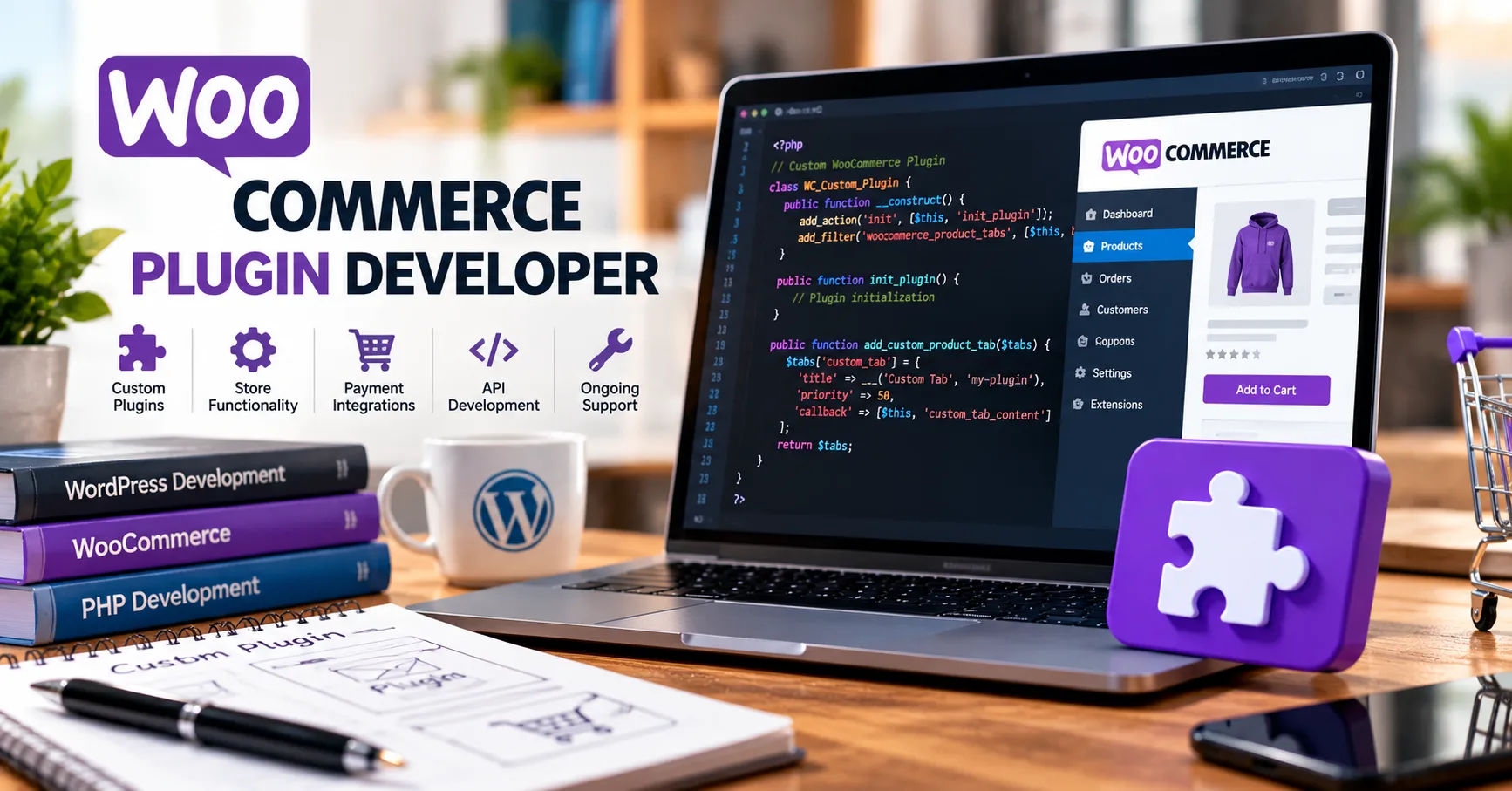 A woocommerce plugin developer can help solve these problems by improving plugin performance, reducing unnecessary operations, and making the store more efficient.
WooCommerce is a popular e-commerce platform built on WordPress. It offers many features for managing products, payments, shipping, inventory, and customer orders. However, adding too many plugins or using poorly developed extensions can make a store slower than expected. Even a store with excellent products can struggle if customers have to wait several seconds for pages to load.
Improving speed does not always require changing the hosting provider or rebuilding the entire website. Sometimes, the real problem lies in how plugins are designed, configured, and connected to other parts of the store. A skilled developer can examine these issues, identify performance problems, and implement practical solutions that support faster loading times.
This guide explains how plugin development affects WooCommerce speed, which improvements developers can make, how to identify performance issues, and what store owners should consider when hiring professional help.
Why WooCommerce Stores Become Slow
Before improving website speed, it is important to understand what causes performance problems. WooCommerce stores rely on several systems working together, including WordPress, the database, the hosting environment, the active theme, and installed plugins.
When these components are not properly optimized, the website may take longer to respond to customer requests.
Too Many Plugins Running at Once
Plugins add useful features to an online store, such as product filters, discount rules, subscription options, email marketing, and payment processing. However, each plugin can introduce additional processing requirements.
Some plugins load scripts, stylesheets, and database queries on every page, even when their features are not needed. For example, a product comparison plugin might load its JavaScript files on the homepage, checkout page, and blog articles.
This unnecessary activity increases the amount of work a browser and server must perform.
A developer can review these plugins, remove redundant functionality, and adjust when their resources load. The goal is not simply to reduce the plugin count but to make sure every active extension performs its job efficiently.
Poor Database Performance
WooCommerce stores product information, customer details, orders, settings, and other records in a WordPress database. Over time, this database can become larger and more complicated.
Plugins may create additional database tables, store temporary information, or repeatedly request the same data. Poorly written queries can increase server response times, especially on stores with thousands of products or many simultaneous customers.
A developer can investigate these queries and improve the way the plugin retrieves information. Better database practices can reduce unnecessary processing and help pages load faster.
Heavy JavaScript and CSS Files
Many WooCommerce extensions use JavaScript and CSS to display interactive features. Examples include product galleries, live search, cart updates, filters, and checkout validation.
When these resources are too large or load unnecessarily, they can delay page rendering and user interaction.
A developer can reduce unused code, load assets only where needed, and prevent scripts from blocking important page content. These improvements can make the store feel faster, even when the underlying page contains many products or interactive features.
How a WooCommerce Plugin Developer Improves Website Speed
A developer who understands WordPress and WooCommerce can improve performance at the code level. Rather than relying only on general optimization settings, the developer can examine how individual extensions behave and address the specific causes of slow performance.
Optimizing Plugin Code
Well-written code helps a website complete tasks with fewer resources. Poorly structured code can perform unnecessary calculations, repeat operations, or execute expensive processes too frequently.
A woocommerce plugin developer can review the source code, identify inefficient functions, and replace them with better approaches.
For example, a plugin that repeatedly retrieves the same product information may benefit from retrieving the data once and reusing it when appropriate. A discount plugin might also be improved by avoiding expensive calculations when a cart has not changed.
These changes can reduce processing time and server workload.
Code optimization should be based on testing rather than assumptions. A function that looks complicated is not necessarily the main cause of slow performance. Developers should measure actual execution time and focus on improvements that make a meaningful difference.
Improving Database Queries
Database queries can have a major effect on large online stores. A plugin that searches through unnecessary records or performs several repeated queries may create delays during product browsing and checkout.
Developers can improve database performance through several techniques:
-
Retrieving only the fields and records required for a task.
-
Avoiding repeated queries when the same information is already available.
-
Using appropriate WordPress database APIs and efficient query patterns.
-
Reviewing database indexes when supported and appropriate.
-
Avoiding expensive queries on every page request.
-
Cleaning up temporary plugin data when it is safe to do so.
These techniques help reduce unnecessary database activity.
Developers must also preserve data accuracy. For example, order totals, inventory quantities, and payment records cannot be handled carelessly just to achieve faster processing. Performance improvements must protect the reliability of the store.
Loading Scripts Only When Necessary
A plugin should load its assets only on pages that actually need them.
Consider a plugin that adds a special product customization form. If the form is used only on selected product pages, its JavaScript and CSS files may not need to load throughout the entire website.
A developer can configure the plugin to enqueue the required resources conditionally. This reduces unnecessary downloads and can improve page rendering.
The same principle applies to administrative features. Scripts used exclusively in the WordPress dashboard should not be loaded on the customer-facing website.
Smaller, more focused page resources can improve loading speed, reduce network traffic, and support a better mobile experience.
Using Caching Effectively
Caching allows a website to reuse previously generated information instead of repeating the same work for every request.
Depending on the store's needs, developers may implement or improve object caching, transient caching, and other suitable caching strategies. Full-page caching may also help when configured correctly alongside the hosting environment and existing optimization tools.
For example, product categories and certain configuration values may be suitable for caching, provided the cached information remains accurate.
However, WooCommerce requires special care because some pages contain personalized or frequently changing information.
The shopping cart, checkout, customer account pages, and other dynamic areas must not display incorrect cached information. A developer should ensure that stock availability, prices, discounts, shipping calculations, and customer-specific details remain accurate.
Good caching improves performance without compromising the shopping experience.
Improving WooCommerce Checkout Performance
Checkout speed is especially important because it directly affects the purchasing process. Customers may become frustrated if the checkout page takes too long to load, shipping calculations are delayed, or payment options respond slowly.
Reducing Unnecessary Checkout Requests
Some plugins repeatedly request information while customers enter their details. Shipping extensions may recalculate delivery options, while payment plugins may perform additional checks.
Although some requests are necessary, excessive requests can slow the process.
A developer can investigate these requests, remove unnecessary repetitions, and make sure updates happen at appropriate times.
For example, shipping information should be recalculated when relevant address or cart details change, rather than through unrelated repeated operations.
The objective is to make checkout responsive without removing important validation or security checks.
Optimizing Third-Party Integrations
WooCommerce stores often connect to payment gateways, shipping services, tax tools, inventory systems, and marketing platforms.
These integrations can affect performance when they communicate with external servers. A slow response from a third-party service may delay a checkout step or interrupt another operation.
A developer can examine how these integrations work and improve their implementation. Possible solutions include reducing unnecessary API calls, using suitable timeouts, processing nonessential tasks asynchronously, and caching information when permitted.
Not every external delay can be eliminated through plugin changes. Some problems originate with the third-party provider or the store's network connection. Proper diagnostics help distinguish these issues from local code problems.
Mobile Speed and Customer Experience
Many customers shop using smartphones. A WooCommerce store that performs well on a desktop computer may still feel slow on a mobile device because of limited processing power, weaker connections, or large page resources.
Reducing Unnecessary Mobile Resources
Developers can reduce the amount of JavaScript and CSS delivered to mobile visitors and avoid loading unnecessary features on smaller screens.
They can also improve the behavior of product filters, image galleries, menus, and cart controls to prevent sluggish interactions.
However, mobile optimization should not rely only on hiding features. Customers must still be able to find products, compare options, add items to their carts, and complete purchases easily.
Supporting Core Web Vitals
Google uses Core Web Vitals to evaluate important aspects of the user experience.
These metrics include:
-
Largest Contentful Paint (LCP): Measures how quickly the main content becomes visible.
-
Interaction to Next Paint (INP): Measures how responsive a page is to user interactions.
-
Cumulative Layout Shift (CLS): Measures unexpected movement of page elements.
Plugin behavior can affect all three metrics. Heavy scripts may delay visible content or interactions, while poorly reserved space for dynamic elements can cause layout shifts.
A developer can help reduce these problems by optimizing resources, improving rendering behavior, and ensuring dynamic components do not disrupt the page layout.
Nevertheless, Core Web Vitals depend on the complete website, including hosting, images, themes, fonts, and external services. Plugin development is one part of the broader optimization process.
How to Identify Plugins That Slow Down a Store
Before making changes, store owners should determine which components are causing the biggest performance problems.
Run a Website Performance Test
Tools such as Google PageSpeed Insights and Lighthouse can provide useful information about loading speed, rendering delays, and browser performance.
A developer may also use Query Monitor or suitable profiling tools to investigate database queries, PHP execution, and plugin activity.
Testing should include important pages such as the homepage, product pages, category pages, cart, and checkout.
A store can load its homepage quickly while experiencing significant delays during checkout. Testing only one page may therefore hide important problems.
Measure Server Response Time
Server response time helps show how quickly the website begins responding to a request.
If server response is slow, possible causes include inefficient PHP code, expensive database queries, insufficient hosting resources, or slow external requests.
A developer can use profiling data to determine which causes are most likely. Upgrading hosting may be appropriate in some cases, but it should not be the automatic first step.
Test Changes in a Staging Environment
Performance changes should ideally be tested on a staging copy of the website before being applied to the live store.
This approach helps developers identify compatibility problems without disrupting customer purchases.
After making an improvement, they can compare results against the original measurements. Testing should also confirm that important features, including checkout, payments, stock management, and shipping calculations, still work correctly.
Custom Plugin Development Versus General Optimization Plugins
Store owners often wonder whether they need a custom plugin or a general performance optimization tool.
Both options can be useful, but they solve different problems.
When General Optimization Tools Are Enough
Optimization plugins can help with tasks such as page caching, image optimization, script management, and database cleanup.
These tools are often suitable when the store has common performance issues that can be addressed through standard settings.
However, an optimization tool cannot automatically correct every inefficient database query or poorly designed custom feature. Incorrect settings can also cause conflicts with dynamic WooCommerce functionality.
When Custom Plugin Improvements Make Sense
Custom development becomes valuable when performance problems originate in a specific extension or a unique business process.
For example, a store with advanced product filters, complex pricing rules, or large-scale inventory synchronization may require code-level changes that standard tools cannot provide.
A developer can optimize the existing extension or build a more efficient replacement when necessary.
The right decision depends on the source of the problem, the complexity of the store, and the cost of maintaining the proposed solution.
How to Choose the Right WooCommerce Developer
Hiring the right professional is important because poorly planned changes can create new problems or damage existing functionality.
Look for Relevant Experience
Choose someone with practical experience in WordPress, WooCommerce, PHP, database queries, caching, and performance profiling.
Experience with custom extensions is particularly useful when the store relies on specialized features.
Ask the developer to explain how they would identify the cause of slow performance before recommending a solution.
Request Evidence of Results
A reliable developer should be able to explain the improvements they have achieved on previous projects, where sharing such information is permitted.
Useful evidence includes before-and-after test results, reduced database query counts, lower server response times, and improved Core Web Vitals measurements.
Results should be measured under comparable conditions. A single improved score does not necessarily prove that every part of the store is faster.
Discuss Testing and Maintenance
Performance optimization should include functional testing, documentation, and a clear plan for future maintenance.
Ask whether the developer will test updates, check plugin compatibility, and monitor the effects of changes after deployment.
You should also clarify the project scope, expected deliverables, costs, and how problems discovered during testing will be handled.
Common Mistakes to Avoid During Speed Optimization
Even well-intentioned optimization efforts can create problems when they focus on the wrong priorities.
Installing Too Many Optimization Plugins
Using several tools that perform the same tasks can create conflicts. For example, multiple plugins may attempt to minify scripts, control caching, or modify how assets load.
Choose a compatible set of tools and ensure that each one has a clear purpose.
Making Changes Without Measurements
Removing a plugin or rewriting a function does not guarantee a speed improvement.
Developers should record baseline performance, make targeted changes, and test the results. This approach helps avoid spending money on changes that do not address the actual bottleneck.
Ignoring Security and Reliability
Speed should never come at the expense of secure payments, accurate stock information, or reliable order processing.
Developers must preserve validation, authorization, data integrity, and compatibility with supported WooCommerce features.
Forgetting Future Maintenance
WordPress, WooCommerce, and their extensions receive regular updates. Custom code that works today may need adjustments after a future release.
Maintainable code, documentation, staging tests, and a clear update process help keep the store fast over time.
What Results Can Store Owners Expect?
The results of optimization depend on the problems identified during the initial assessment.
A store with excessive plugin scripts may improve significantly after unnecessary assets are removed. Another store may remain slow because its hosting environment lacks sufficient resources or because a third-party service responds slowly.
Some improvements may be visible immediately, while others require changes to infrastructure or the website's overall design.
It is important not to expect every store to achieve the same loading time. Product count, traffic levels, page complexity, server configuration, and customer location all influence performance.
A practical project should establish measurable goals, such as reducing server response time, improving checkout responsiveness, lowering unnecessary database activity, or improving Core Web Vitals.
These targets provide a clearer way to evaluate success than relying on vague promises about making a website faster.
Conclusion
A WooCommerce store can become much faster when its plugins are properly designed, maintained, and optimized. Poorly written code, repeated database queries, unnecessary scripts, and inefficient external integrations can all increase loading times and reduce the quality of the customer experience.
A skilled woocommerce plugin developer can investigate these issues and implement improvements that address the actual causes of poor performance. This may involve optimizing PHP code, improving database queries, loading resources only when necessary, configuring suitable caching, and making checkout processes more efficient.
However, plugin development is not the only factor that determines website speed. Hosting quality, image sizes, themes, server configuration, and third-party services also play important roles. The best results usually come from examining the entire website and prioritizing the changes that offer the greatest benefit.
Store owners should begin by measuring performance, identifying the slowest pages, and reviewing the plugins responsible for important features. They should then work with an experienced professional who can make targeted changes, test the results, and protect essential store functionality.
Ultimately, improving WooCommerce speed is about more than reducing loading times. It is about creating a dependable shopping experience that helps customers browse products, complete purchases, and return with confidence. With careful planning, proper testing, and ongoing maintenance, plugin optimization can become a valuable investment in the long-term success of an online business.