A website must do more than look attractive to succeed online. It needs to load quickly, work correctly on different devices, protect user information, and provide a smooth experience for visitors. Even a small problem, such as a broken link, a slow checkout page, or a form that fails to submit, can frustrate users and affect business results. 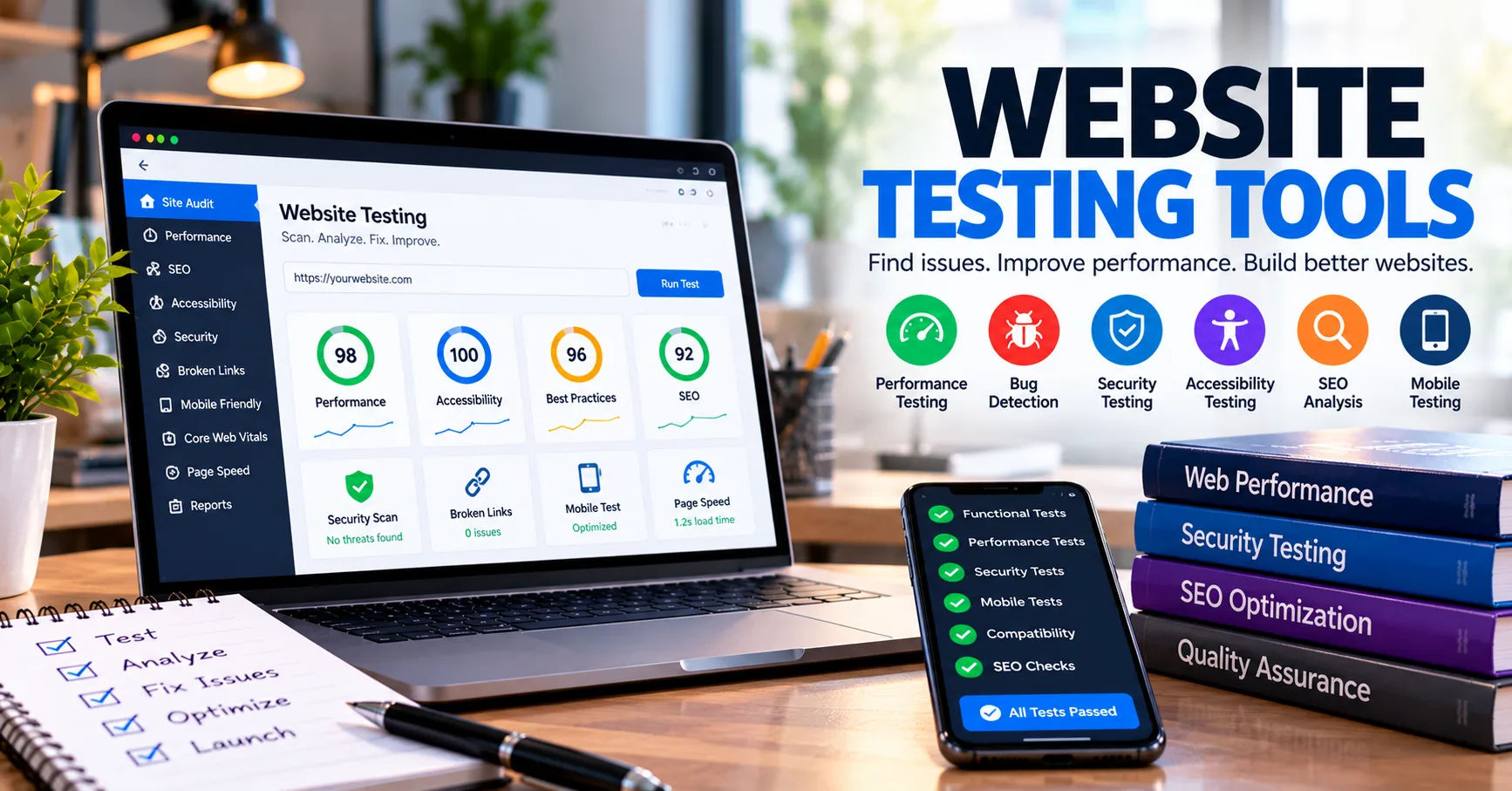 This is why testing is an essential part of website development and maintenance.
Modern developers use website testing tools to identify problems, measure performance, check functionality, and improve the overall quality of a website. These tools can test individual features, simulate user activity, inspect security weaknesses, and evaluate how a website behaves under different conditions. Some tools work automatically, while others help testers examine specific elements manually.
Understanding how these tools operate helps website owners, developers, and digital teams make better decisions about website quality. Whether a website is a small business blog, an online store, or a large web application, testing can help ensure that it works as expected before and after launch.
What Are Website Testing Tools?
Website testing tools are software applications or online services designed to examine a website for errors, performance issues, security weaknesses, and usability problems. They help teams determine whether a website meets its technical requirements and provides a reliable experience for visitors.
Testing can involve checking buttons, links, navigation menus, login forms, shopping carts, page speed, and compatibility with different browsers. Some tools focus on one specific area, while others provide several testing features within a single platform.
For example, a developer might use a browser automation tool to verify that a registration form works correctly. Another tool might measure how quickly the registration page loads, while a security scanner checks for common vulnerabilities.
Together, these methods provide a clearer understanding of a website's condition.
Why Website Testing Is Important
Websites contain many interconnected elements. A change to one component can sometimes affect another part of the site. Updating a plugin, changing a theme, modifying a database query, or adding a new payment method can introduce unexpected problems.
Testing helps teams identify these problems before they affect visitors.
It also offers several practical benefits:
-
Improved reliability: Testing identifies errors that prevent features from working correctly.
-
Better performance: Speed tests reveal slow pages and inefficient resources.
-
Stronger security: Security assessments help identify weaknesses that could expose data.
-
Improved usability: Usability checks reveal confusing layouts and difficult navigation.
-
Lower maintenance costs: Detecting defects early can reduce the time and expense required to fix them.
-
Greater customer confidence: A reliable website encourages visitors to complete purchases, submit forms, and return later.
Testing is most effective when it is performed throughout development rather than only after a website is finished.
How Do Website Testing Tools Work?
Most testing tools follow a process that begins with defining what needs to be checked and ends with reporting the results. The exact process depends on the type of tool, the website's technology, and the testing objective.
Step 1: Define the Testing Requirements
Before testing begins, the team decides what the website should do and which areas need examination.
For an online store, requirements might include successful account registration, accurate product prices, working search filters, reliable payment processing, and correct order confirmation messages.
For a business website, the priorities might be contact forms, navigation, page loading speed, mobile responsiveness, and accessibility.
Clear requirements give testing tools specific conditions to evaluate. Without these conditions, a test may confirm that a page loads while missing the fact that its main feature does not work.
Step 2: Access the Website
The tool connects to the website or examines its code, depending on the testing method.
Browser-based testing tools open web pages in a browser environment. They can interact with visible elements such as buttons, text fields, menus, and links.
Performance tools request website resources and measure how the server and browser respond. Security tools may inspect page responses, configuration settings, and application behavior for known weaknesses.
Some tools require a website URL, while others need access to source code, a testing environment, or a browser extension.
Step 3: Perform Automated Checks
After accessing the website, the tool carries out the checks it has been configured to perform.
An automated functional test might open a login page, enter test credentials, submit the form, and verify that the correct dashboard appears.
A link checker might visit pages and identify links that return errors. A performance tester could measure how long important resources take to load.
These tests follow predefined rules. They do not necessarily understand every aspect of the website, so their accuracy depends on the quality of the test instructions and the conditions being examined.
Step 4: Compare Results Against Expected Behavior
Testing tools evaluate the observed results against expected outcomes.
For example, if a user adds a product to a shopping cart, the expected result might be that the cart displays the correct product, quantity, and price.
If the cart displays the wrong total, the test identifies a failure. Similarly, if a page takes longer to load than the team's target, the performance test reports a potential issue.
This comparison helps teams distinguish normal website behavior from unexpected results.
Step 5: Generate Reports
After testing, the tool presents its findings in a report, dashboard, or test log.
Reports may include failed test cases, screenshots, error messages, response times, security warnings, and suggestions for investigation.
Developers use this information to locate the source of a problem, make corrections, and run the tests again.
A successful testing cycle does not simply identify errors. It also helps confirm that fixes work and that changes have not introduced new defects.
Different Types of Website Testing Tools
Not all testing tools perform the same job. Different categories examine different aspects of website quality, and a complete testing strategy often combines several of them.
Functional Testing Tools
Functional testing tools verify whether website features behave according to their requirements.
They can check login systems, search functions, navigation menus, registration forms, shopping carts, and other interactive components.
For example, a test might verify that a password reset form accepts a registered email address and displays an appropriate confirmation message.
Automated browser frameworks such as Playwright and Selenium can perform many of these checks. Testers can create scripts that repeat the same user actions whenever the website changes.
Functional testing is especially useful for websites with complex workflows, where manually checking every feature after each update would take considerable time.
Performance Testing Tools
Performance testing tools measure how efficiently a website operates under different conditions.
They may examine page loading times, server response times, resource usage, and the website's behavior when many users access it simultaneously.
Some tools focus on individual page performance, while others simulate hundreds or thousands of virtual users.
For instance, a business might use a load-testing tool before a major sale to determine whether its website can handle increased traffic.
Performance testing can reveal slow database queries, oversized images, inefficient scripts, and server capacity limitations.
Security Testing Tools
Security testing tools help identify weaknesses that could allow unauthorized access, data exposure, or other harmful activity.
Depending on their capabilities, they may examine security headers, outdated software components, insecure configurations, authentication controls, and common application vulnerabilities.
Some tools analyze source code, while others test a running application by sending requests and observing responses.
However, automated scans cannot guarantee that a website is completely secure. Complex vulnerabilities may require manual assessment, careful configuration reviews, and professional security testing.
Testing should always be conducted on systems the tester owns or has permission to assess.
Compatibility Testing Tools
Compatibility testing checks whether a website works correctly across different browsers, operating systems, screen sizes, and devices.
A website may appear correctly in one browser but display broken layouts or unusual spacing in another.
Compatibility tools can help testers examine how pages behave in environments such as desktop browsers, mobile browsers, and tablet-sized screens.
Some services provide access to virtual devices or remote browsers, allowing teams to test multiple environments without purchasing every physical device.
These checks are valuable because visitors use different combinations of hardware and software.
Usability and Accessibility Testing Tools
Usability testing examines how easily people can navigate a website and complete their intended tasks.
Accessibility testing checks whether people with disabilities can use the website effectively, including people who rely on keyboards, screen readers, or other assistive technologies.
Automated accessibility tools can detect issues such as missing alternative text, certain color contrast problems, and incorrectly labeled form fields.
However, automated checks cannot identify every usability or accessibility problem. Human testing remains important for understanding confusing instructions, difficult navigation, and barriers that require contextual judgment.
How Do Website Testing Tools Detect Errors?
Testing tools detect errors by observing website behavior, analyzing technical information, and comparing results with established rules.
Rule-Based Detection
Some tools use predefined rules to identify problems.
For example, a page checker might flag a broken link because the destination returns an HTTP error. An accessibility checker might report an image that lacks alternative text.
These rules make testing consistent and repeatable. However, a flagged issue does not always mean that a website is unusable, so results may need human review.
Browser Automation
Browser automation tools simulate actions that a person would normally perform.
They can open a page, click a button, fill in a form, scroll through content, and verify the resulting screen.
A test script might check that a search for a product returns relevant results and that selecting a filter updates the displayed products.
Automation is useful for repetitive tasks, particularly when the same workflows must be tested after frequent website updates.
Performance Measurement
Performance tools collect timing information and other measurements while a page loads or an application handles requests.
They can help identify whether delays come from server responses, JavaScript execution, images, or other resources.
The findings help developers decide which improvements are likely to have the greatest effect on the visitor experience.
Code and Configuration Analysis
Some testing tools inspect source code, dependencies, and configuration files rather than interacting with a live website.
Static analysis tools can detect certain coding mistakes before the application runs. Dependency scanners can identify software packages with known security issues.
These methods are particularly useful during development because they can identify problems before the affected code reaches production.
Popular Website Testing Tools and Their Uses
Different tools serve different testing goals. The right choice depends on the website, the team's technical skills, and the problems being investigated.
|
Tool |
Main purpose |
Typical use |
|---|---|---|
|
Google Lighthouse |
Performance, accessibility, SEO, and best practices |
Auditing individual web pages |
|
Playwright |
Browser automation and functional testing |
Testing user workflows across browsers |
|
Selenium |
Browser automation |
Repeating functional tests in different environments |
|
Apache JMeter |
Load and performance testing |
Simulating requests and measuring system behavior |
|
OWASP ZAP |
Web application security testing |
Finding certain common security weaknesses |
|
axe DevTools |
Accessibility testing |
Identifying accessibility issues in web interfaces |
These tools are not interchangeable. Lighthouse can provide useful page-level insights, for example, but it does not replace a comprehensive load test or a complete security assessment.
Likewise, browser automation can confirm that a checkout process works under tested conditions, but it does not automatically prove that payment processing is secure.
A practical testing strategy combines tools according to the risks and requirements of the website.
How to Choose the Right Website Testing Tools
Choosing suitable testing software requires more than comparing feature lists. Teams should consider what they need to test, how frequently testing will occur, and how results will be used.
Identify Your Main Objective
Start by identifying the most important website risks.
If visitors complain about slow pages, performance testing should be a priority. If users cannot complete purchases, functional testing may be more urgent. If a website handles sensitive customer information, security testing deserves particular attention.
Selecting tools around real requirements prevents unnecessary complexity.
Consider Ease of Use
Some tools provide simple visual reports and require little technical knowledge. Others require programming, command-line experience, or familiarity with web protocols.
A small business owner may prefer an online page auditing service, while a software development team might need programmable browser automation.
The best tool is one the team can use consistently and interpret correctly.
Check Browser and Device Support
Consider which browsers, devices, and operating systems your visitors use.
A testing platform that supports several browsers can help identify compatibility problems. Responsive testing is also important when visitors access the website from phones and tablets.
For critical user journeys, test the environments that matter most to the intended audience.
Evaluate Integration Options
Development teams often connect testing tools to version control systems and continuous integration pipelines.
This setup allows tests to run automatically when developers submit code or prepare a new release. If a test fails, the team can investigate before deploying the change.
Integration makes testing part of the development process instead of a separate task that may be forgotten.
Review Reporting and Cost
Look for clear reports that explain what failed, where the problem occurred, and how the team can investigate it.
Some tools are free or open source, while others charge for advanced reporting, larger testing capacity, or access to additional browsers and devices.
Compare the total cost with the time saved, the risks reduced, and the features actually required.
Best Practices for Using Website Testing Tools
Testing tools provide better results when they are used as part of a consistent quality assurance process.
Test Early and Frequently
Begin testing while the website is being developed. Checking components early makes defects easier to isolate and correct.
Continue testing after significant changes, plugin updates, server migrations, and design modifications.
Frequent testing reduces the likelihood that several small issues will combine into a larger problem.
Use a Separate Testing Environment
Whenever possible, test major changes in a staging environment before deploying them to a live website.
A staging site resembles the production website but allows developers to examine updates without unnecessarily disrupting customers.
Use appropriate test accounts and sample data, and avoid exposing real customer information during testing.
Combine Automated and Manual Testing
Automated tests are efficient for repetitive checks, but they cannot judge every aspect of the user experience.
Manual testing helps people evaluate clarity, layout, navigation, and unusual interactions. Combining both methods provides broader coverage than relying on either one alone.
Prioritize Critical User Journeys
Not every page has the same business importance.
For an online store, important journeys might include searching for a product, adding it to the cart, entering shipping information, and completing checkout.
For a service business, they might include reading service details, submitting a contact form, and booking an appointment.
Test these journeys regularly because failures can directly affect revenue, customer satisfaction, or lead generation.
Track Results Over Time
Save test reports and compare them after important changes.
A page that passes today's test may become slower after new scripts or images are introduced. Tracking performance and recurring defects helps teams recognize these changes before they become serious.
Teams should also review false positives, update outdated tests, and remove checks that no longer match the website's requirements.
Common Limitations of Website Testing Tools
Although testing tools are powerful, they have limitations that users should understand.
First, automated tests only examine the scenarios they have been designed to cover. A website may pass its existing tests while still containing an undiscovered defect.
Second, test environments may differ from real-world conditions. Differences in internet speed, device performance, browser extensions, and traffic patterns can affect actual user experiences.
Third, security scanners may produce false positives or miss vulnerabilities that require deeper investigation.
Fourth, automated accessibility checks cannot fully evaluate the experience of every person using assistive technology.
Finally, test results can become outdated when a website changes. Test scripts, expected outcomes, and configuration settings must be maintained as the application evolves.
For these reasons, testing tools should support professional judgment rather than replace it. Human review, realistic test scenarios, and regular maintenance remain essential.
The Future of Website Testing Tools
Website testing continues to evolve as web applications become more complex. Newer testing platforms increasingly use artificial intelligence to assist with test creation, analyze failure patterns, and identify potentially unstable interface elements.
Some tools can suggest test cases based on application behavior or help developers investigate why a test failed. Others can reduce the maintenance required when page layouts change.
Cloud-based testing services also make it easier to test websites across different browsers and devices without maintaining large collections of physical hardware.
Despite these advances, automation still depends on accurate requirements, reliable test data, and meaningful evaluation criteria. AI-assisted testing may speed up parts of the process, but it does not guarantee complete coverage or correct conclusions.
The most effective approach combines modern automation with clear testing goals, human oversight, and continuous improvement.
Conclusion
Website testing is an essential part of creating and maintaining a reliable online experience. It helps developers verify functionality, measure performance, identify security weaknesses, check compatibility, and improve accessibility. By examining website behavior against defined requirements, testing tools make it easier to discover problems before they significantly affect visitors.
Understanding how website testing tools work also helps businesses select the right solutions for their needs. Functional testing can verify important user journeys, performance testing can uncover slow pages, security testing can identify potential vulnerabilities, and compatibility testing can reveal problems across browsers and devices.
However, no single tool can evaluate every aspect of website quality. Automated checks are most effective when combined with manual reviews, realistic testing environments, and regular maintenance. Teams should test early, prioritize important features, investigate failures carefully, and repeat tests after making changes.
Ultimately, successful website testing is an ongoing process rather than a one-time activity. By using suitable tools and following consistent testing practices, website owners can reduce errors, improve user satisfaction, strengthen reliability, and build a more dependable digital presence.