Building a gaming computer on a limited budget requires careful planning. Every component matters, from the processor and graphics card to the storage drive and memory. One of the most common questions beginners ask is how much RAM they need to enjoy their favorite games without spending too much money. Choosing the right amount of memory can improve performance, reduce stuttering, and help a computer handle multiple tasks smoothly. 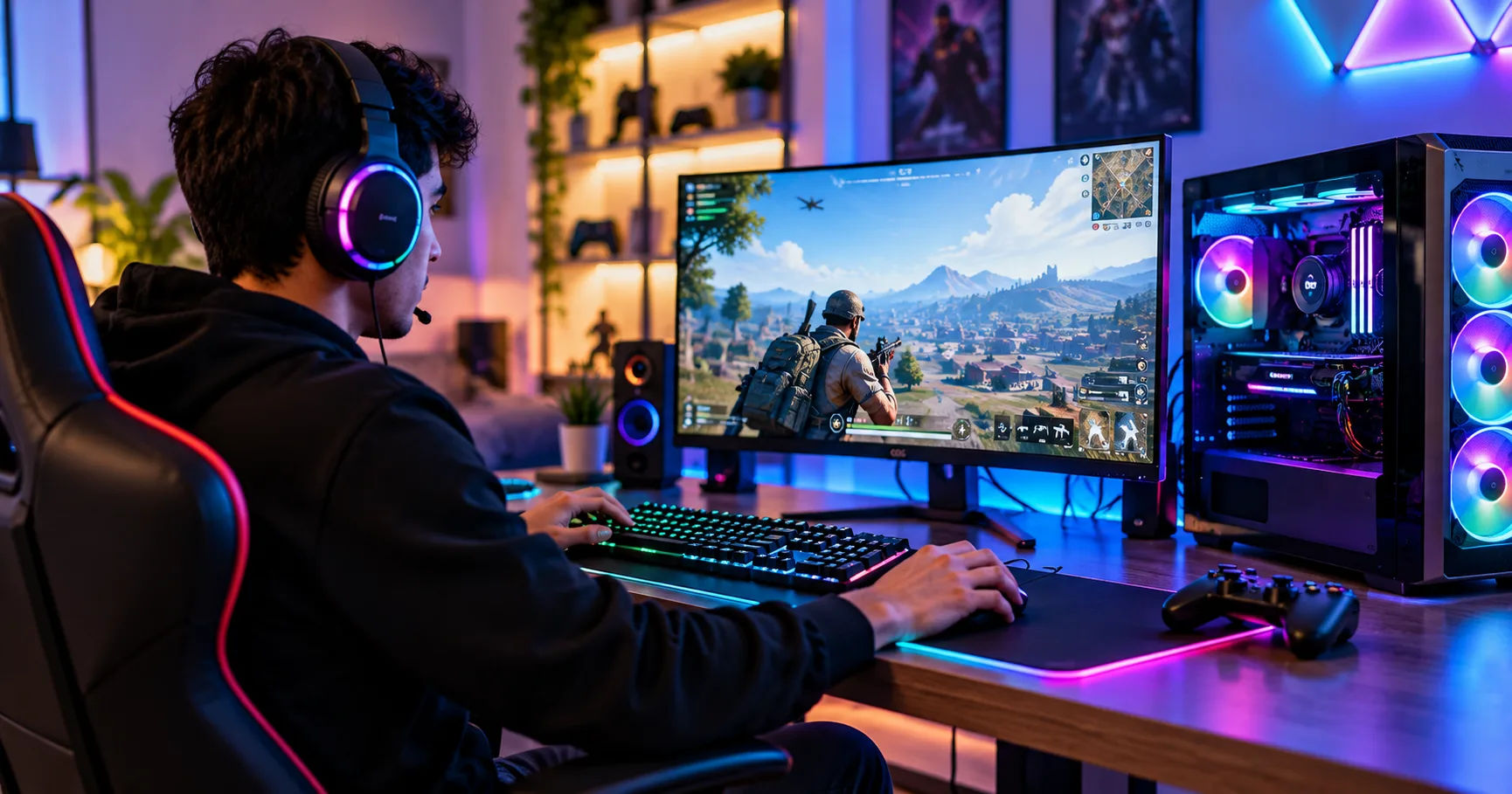 A cheap gaming pc does not need the most expensive hardware to deliver an enjoyable gaming experience. However, choosing too little RAM can create performance problems, especially when playing modern games or running several applications simultaneously. Understanding the difference between 8GB, 16GB, and 32GB of RAM helps you make a practical decision based on your budget and gaming habits.
The best approach is to balance memory capacity with other hardware requirements. More RAM is not always better if your processor or graphics card cannot keep up. By understanding how memory works, which games require more resources, and how upgrades affect performance, you can build a system that provides excellent value without unnecessary expenses.
RAM and Its Importance in Gaming
RAM stands for Random Access Memory. It is a computer's short-term working memory, where the system temporarily stores information that the processor needs to access quickly.
When you launch a game, your computer loads important information into RAM. This can include game assets, character models, textures, map information, and other data needed during gameplay.
Unlike a traditional hard drive or SSD, RAM is designed for fast access to active information. It allows your computer to work efficiently without repeatedly retrieving everything from long-term storage.
How RAM Affects Gaming Performance
RAM affects how smoothly a game runs, particularly when the system has insufficient memory. If a game and its background applications require more memory than available, the operating system may move some information to the storage drive.
This process can cause noticeable delays because even a fast SSD is much slower than RAM. Players may experience stuttering, longer loading interruptions, or temporary freezes.
Having enough RAM helps prevent these problems. However, additional memory beyond what your games and applications require may not produce a significant increase in average frame rates.
For example, upgrading from 8GB to 16GB can make a noticeable difference in a memory-demanding game. Increasing from 16GB to 32GB may provide smaller gains if the game already runs comfortably within the available memory.
RAM Is Different From Graphics Memory
It is also important to distinguish system RAM from VRAM.
System RAM supports Windows, games, browsers, and background applications. VRAM, or video memory, is built into or dedicated to the graphics card and stores graphical information such as textures and rendered frames.
A computer with 16GB of system RAM and a graphics card with 8GB of VRAM has two separate memory resources.
Some integrated graphics systems share system memory instead of having dedicated VRAM. This arrangement makes sufficient system RAM particularly important for budget computers that do not have a separate graphics card.
How Much RAM Do You Actually Need?
The amount of RAM you need depends on the games you play, your preferred graphics settings, and whether you run other programs while gaming.
For most budget-conscious gamers, 16GB is the best starting point. It offers a reasonable balance between affordability and performance.
Is 8GB of RAM Enough?
Eight gigabytes of RAM can work for basic gaming, especially with older games, lightweight titles, and less demanding competitive games.
It may be sufficient for games such as older versions of Minecraft, classic strategy games, and simple indie titles, depending on their settings and any modifications installed.
However, 8GB has significant limitations.
Windows itself uses some memory, and modern games can consume several additional gigabytes. A browser, voice-chat application, launcher, and background services can quickly use the remaining capacity.
When memory becomes scarce, performance may become inconsistent even if the processor and graphics card are capable of producing acceptable frame rates.
An 8GB configuration is therefore best viewed as a temporary budget solution. It can be suitable if you already own compatible hardware and plan to upgrade later.
Why 16GB Is the Best Choice for Most Budget Gamers
Sixteen gigabytes of RAM is generally the most sensible choice for a modern entry-level gaming computer.
It provides enough capacity for many popular games while leaving room for Windows and a few background applications. It also reduces the likelihood of memory-related stuttering compared with an otherwise similar 8GB configuration.
With 16GB, you can usually play many competitive games, enjoy numerous indie titles, and run a variety of mainstream games at appropriate settings.
The exact results depend on the game, operating system, graphics hardware, and resolution. Some demanding titles may still benefit from reduced settings or a more powerful graphics card.
For someone building a cheap gaming pc, 16GB is usually a better investment than paying for 32GB while compromising on a component that directly limits gaming performance.
When Is 32GB of RAM Worth Buying?
Thirty-two gigabytes of RAM is useful for gamers who want additional flexibility.
It can benefit people who play demanding modern titles, install large game modifications, stream gameplay, edit videos, or keep numerous browser tabs open while gaming.
Some newer games and heavily modified games can use substantial amounts of memory. Additional capacity helps prevent memory shortages when the operating system and other applications are also active.
However, 32GB does not automatically double gaming performance compared with 16GB. If a game only needs 10GB of available memory, installing 32GB instead of 16GB will not necessarily increase its frame rate.
Choose 32GB when your workload justifies it or when the price difference is small enough to make the upgrade worthwhile.
Comparing 8GB, 16GB, and 32GB RAM
The following comparison can help you decide which configuration fits your needs.
|
RAM capacity |
Best use |
Main limitation |
|---|---|---|
|
8GB |
Older games and basic gaming |
Limited space for modern games and multitasking |
|
16GB |
Most budget gaming systems |
Can become restrictive with demanding multitasking |
|
32GB |
Heavy gaming, streaming, and creative work |
May offer little extra gaming performance for casual players |
For most beginners, 16GB provides the strongest combination of affordability and everyday usefulness.
If your budget is extremely tight, starting with 8GB and upgrading later may be reasonable, provided the motherboard supports the upgrade. However, buying a suitable 16GB configuration from the beginning is generally more convenient.
Which Games Need More RAM?
Not every game uses memory in the same way. Some are designed to run on modest hardware, while others require more resources because of their detailed environments, large maps, and complex systems.
Competitive Games
Competitive titles often prioritize responsive gameplay and high frame rates.
Games such as Valorant, League of Legends, and Counter-Strike 2 can run on systems with different memory capacities, although their requirements and performance vary.
Eight gigabytes may work for some lighter competitive workloads, but 16GB offers more flexibility for current software, updates, and background applications.
Competitive players should also pay attention to processor performance, graphics settings, and display refresh rates. RAM alone cannot guarantee smoother gameplay.
Open-World and Modern AAA Games
Large open-world games often contain detailed environments, numerous characters, complex textures, and extensive maps.
These features can increase memory requirements, particularly when playing at higher settings or running other applications simultaneously.
Sixteen gigabytes is a reasonable starting point for many games in this category, but some titles may perform better with 32GB, depending on their requirements and the overall system configuration.
Always check the recommended specifications for the specific game you intend to play.
Minecraft and Modded Games
Minecraft can run on relatively modest hardware, but its memory requirements depend heavily on the version, settings, and modifications.
A basic installation may work comfortably with a modest amount of allocated memory. Large modpacks, high-resolution resource packs, and complex worlds can require considerably more.
The important distinction is between total system RAM and memory allocated to the game. Allocating too much RAM to a game does not automatically improve performance and may leave insufficient memory for other applications.
For modded gaming, 16GB of system RAM is a useful baseline, while 32GB can provide extra room for particularly demanding setups.
Should You Choose One RAM Stick or Two?
RAM capacity is important, but memory configuration also matters.
Many desktop processors support dual-channel memory, which allows the system to transfer data through two memory channels when the hardware is configured appropriately.
Why Dual-Channel RAM Can Help
Consider two common configurations:
-
One 16GB RAM stick.
-
Two 8GB RAM sticks.
Both provide 16GB of total memory. However, two compatible sticks can enable dual-channel operation, potentially increasing memory bandwidth.
This can be especially useful with integrated graphics, which share system memory and rely heavily on memory bandwidth.
In some games, dual-channel memory can improve frame rates or reduce performance limitations. The size of the improvement depends on the processor, game, and configuration.
What About Future Upgrades?
Two 8GB sticks may deliver better memory bandwidth immediately, but they occupy two memory slots.
One 16GB stick leaves more room for expansion, although it may limit memory bandwidth until another compatible stick is installed.
Before buying RAM, check the motherboard's memory slots, supported capacity, and compatibility requirements. For a cheap gaming pc, choosing between immediate performance and future upgrade flexibility is a practical decision.
If you can afford a compatible 2 × 8GB kit, it is often a strong starting point for a 16GB desktop build.
Does RAM Speed Matter for Gaming?
RAM capacity is not the only factor that affects performance. Memory speed and latency can also influence how quickly data moves between memory and the processor.
RAM speed is commonly advertised in megatransfers per second, or MT/s. DDR4 and DDR5 memory have different compatibility requirements, so you cannot simply install any memory kit into any motherboard.
DDR4 Versus DDR5
DDR4 is common in older and budget-oriented systems. DDR5 is supported by newer platforms and can offer higher memory bandwidth.
However, the motherboard and processor determine which memory generation you can use. DDR4 and DDR5 modules are physically different and are not interchangeable.
A budget system using DDR4 can still deliver an enjoyable gaming experience. Buying DDR5 is not automatically the best decision if it requires spending substantially more on a motherboard and processor.
Compare the total platform cost rather than judging memory by its generation alone.
Check Supported Memory Speeds
A RAM kit's advertised speed does not guarantee that it will operate at that speed automatically.
Depending on the platform, you may need to enable a supported memory profile in the BIOS or UEFI settings. These profiles can be called XMP or EXPO, depending on the hardware.
Check your motherboard and processor documentation before changing these settings. If stability problems occur, return to a supported configuration.
For most entry-level systems, reliable and compatible memory is more important than chasing small performance improvements from expensive RAM.
How Much RAM Does Integrated Graphics Need?
Integrated graphics are common in affordable computers because they eliminate the need to purchase a separate graphics card.
These systems use the processor's built-in graphics hardware. Depending on the platform, they reserve or dynamically share some system memory for graphical tasks.
Why 16GB Is Especially Helpful
When a computer uses integrated graphics, system RAM serves two important purposes: supporting ordinary applications and supplying memory resources for graphics.
With only 8GB installed, there may be less memory available for the game and the operating system.
Moving to 16GB can provide a more comfortable experience, especially when the system uses two compatible memory modules to improve bandwidth.
The benefit varies by processor. Integrated graphics performance depends heavily on the graphics architecture, memory speed, cooling, and power limits.
Adding more RAM will not turn weak integrated graphics into a powerful dedicated graphics card, but an appropriate memory configuration can help the hardware perform closer to its potential.
How to Balance RAM With Other Components
A gaming computer works as a system. Spending too much on one component while neglecting another can create an unbalanced build.
Prioritize the Graphics Card and Processor
For games that rely heavily on graphics processing, the graphics card often has a greater effect on frame rates than increasing RAM beyond an adequate amount.
The processor also matters, particularly in competitive games, simulation titles, and games with many characters or complex calculations.
A sensible budget should provide enough RAM first, then allocate the remaining money to components that meaningfully affect your preferred games.
For many entry-level builds, 16GB is a practical baseline. After that, compare processor and graphics-card options before deciding whether 32GB is necessary.
Do Not Ignore Storage
An SSD can improve system responsiveness and reduce game loading times compared with a traditional hard drive.
However, an SSD does not replace RAM. If your system runs out of memory, storage-based swapping can still cause delays.
A balanced setup with sufficient RAM, an SSD, and capable graphics hardware usually offers a better experience than a computer with excessive memory but weak performance elsewhere.
Tips for Saving Money on Gaming RAM
You do not need to buy the most expensive memory kit to build an effective gaming system.
A few practical decisions can help you control costs.
Buy Compatible RAM
Check your motherboard specifications before purchasing memory. Confirm the supported generation, capacity, speed, and module configuration.
Buying incompatible RAM can lead to unnecessary returns or additional expenses.
Compare Complete Kits
Compare the cost of a single 16GB module with a matched 2 × 8GB kit. Consider the value of dual-channel operation, available slots, and your future upgrade plans.
Matched kits are generally a straightforward choice because the modules are sold to work together under the manufacturer's stated specifications.
Consider Used RAM Carefully
Used RAM can sometimes reduce the cost of a build. Memory modules have no moving parts, but second-hand products may still have compatibility issues or defects.
Buy from a seller who allows adequate testing or provides a return policy. Run a suitable memory diagnostic after installation and check for crashes or errors.
Avoid Unnecessary Upgrades
If your games run smoothly and memory usage remains comfortably below capacity, upgrading immediately may provide little benefit.
Monitor performance during the games you actually play. Upgrade when you experience consistent memory pressure, stuttering associated with insufficient memory, or a clear need for more demanding applications.
How to Check Your Current RAM Usage
Windows provides simple tools for monitoring memory.
Open Task Manager by pressing Ctrl + Shift + Esc, then select the Performance section and choose Memory.
You can see the installed RAM, current usage, available memory, and other details. The Processes section can help identify applications consuming substantial resources.
For a useful test, open a game and play for a while under normal conditions. Check memory usage while the game and your usual background applications are running.
High usage alone does not prove that you need more RAM. Operating systems often use available memory for caching, and the system can reclaim some of it when needed.
Look for a combination of consistently high memory pressure and actual performance problems before spending money on an upgrade.
Common RAM Buying Mistakes to Avoid
Several mistakes can make a budget build more expensive without delivering better gaming performance.
Buying too little memory: Eight gigabytes may save money initially, but the limitations can become frustrating with modern games and multitasking.
Assuming more RAM always means more FPS: Extra capacity helps when memory is insufficient, but it does not automatically improve performance when enough memory is already available.
Ignoring motherboard compatibility: The wrong memory generation or an unsupported configuration can prevent a successful installation.
Choosing speed over capacity: For many budget builds, getting an adequate amount of compatible RAM is more important than buying a very fast kit with insufficient capacity.
Forgetting background applications: Browsers, recording software, voice-chat programs, and game launchers all use memory. Consider your complete gaming setup rather than looking at the game alone.
Avoiding these mistakes helps you spend your money where it has the greatest effect.
Conclusion
Choosing the right RAM capacity is one of the simplest ways to make a budget gaming computer more practical and reliable. Although 8GB can still handle certain lightweight games, it leaves limited room for modern titles, Windows, and background applications. For most people, 16GB provides a much better balance between affordability and everyday gaming performance.
A cheap gaming pc will generally benefit most from having sufficient memory alongside a capable processor, appropriate graphics hardware, and an SSD. A compatible 16GB configuration, preferably using two matched modules when suitable, is an excellent starting point for many entry-level desktop builds.
If you play demanding modern games, install large modifications, stream gameplay, or use creative applications, 32GB may be worth the additional cost. However, you should not purchase extra memory simply because a larger number sounds better. Consider your actual workload, the specifications of your favorite games, and the capabilities of your motherboard.
Before upgrading, monitor your current memory usage and look for real performance limitations. Compare compatible kits, consider future expansion, and keep enough of your budget for the components that matter most to gaming.
Ultimately, 16GB of RAM is the best general recommendation for a budget gaming computer, while 8GB is a limited starting option and 32GB is a useful upgrade for more demanding workloads. Making a decision based on your needs rather than marketing claims will help you build a computer that offers strong value and remains useful as your gaming habits evolve.